
Paystack Casinos in Nigeria
More actions
 |
|
| Founded | 2015 |
|---|---|
| Headquarter | 126 Joel Ogunnaike Street, Ikeja GRA, Ikeja, Lagos, Nigeria |
| Owner | Stripe |
| Founder | Shola Akinlade, Ezra Olubi |
| Net Worth | Paystack is not a public‑market‑listed company |
| Website | https://paystack.com |
| [email protected] | |
| Updated | 20.03.2026 |
Paystack is more than just a convenient option. It is a trusted payment gateway for betting that combines advanced security with speedy processing.
Casinos that accept Paystack in Nigeria
Several bookmakers and online casinos in Nigeria accept Paystack for deposits (and sometimes withdrawals). Below are active, Nigeria‑friendly brands that clearly support Paystack as of 2026‑style listings.
| Casino | Min Deposit | Withdrawal limit |
|---|---|---|
| 1Win Casino | 20 NGN | 40k NGN |
| Betano Casino | 50 NGN | 40M NGN |
| Betgr8 | 50 NGN | - |
| LiveScore Bet Casino | 100 NGN | 1M NGN |
| Bet9ja Casino | 100 NGN | 100M NGN |
| Mozzartbet Casino | 100 NGN | 100M NGN |
| LuckyBet | 100 NGN | - |
| Pari Pulse | 250 NGN | - |
How to Deposit with Paystack at Online Casinos
Depositing with Paystack at Nigerian‑facing casinos is almost the same across most platforms. Below is a generic step‑by‑step flow plus Nigeria‑specific nuances you'll see at sites like Bet9ja, 1xBet, 22bet, Nairabet, BetKing, Betway, Pin‑Up, Tsars, iWild, etc.
Step‑by‑step deposit flow:
- Log into your casino / bookmaker account.
- Go to Deposit / Wallet / Cashier (label varies by brand).
- In the payments section, pick Paystack (often under "Bank / Card / E‑wallet" or "Nigerian Payments").
- Enter your deposit amount within the site's minimum and maximum.
- You'll be redirected to the Paystack checkout page.
- Choose bank transfer, card, or mobile money (depending on what the casino exposes).
- Enter your bank details, card number, or phone number tied to your account.
- Your bank will send an OTP or prompt mobile‑banking PIN.
- Enter it on the Paystack page or your banking app to approve the payment.
Deposit Limits, Fees, and Processing Times:
- New accounts often have lower daily/weekly deposit caps; higher limits may open after KYC.
- First withdrawals usually require ID + proof‑of‑address before you can cash out via Paystack or bank.
- Paystack confirms the payment instantly or within a few minutes; your casino balance is usually credited right away.
How to withdraw cash from casino to bank via Paystack
- Make sure Paystack is listed as a withdrawal method in the casino's cashier.
- Complete KYC if this is your first withdrawal; many sites block large cashouts until verification passes.
- Log in to your account and open Withdraw / Cash‑out / Bank in the wallet/cashier tab.
- Select Paystack (or "Paystack Bank Transfer") as the payout method.
- Choose the amount within the casino's limits (often ₦200,000–₦500,000 per withdrawal, higher for VIPs).
- Pick your bank (GTBank, FirstBank, UBA, Zenith, etc.) and enter the account details tied to Paystack.
- Confirm the withdrawal; some platforms may ask for an OTP or PIN linked to your phone/bank.
- The casino's finance team then processes the request (usually 2–5 working days for approval).
- Once approved, Paystack sends the money as a bank transfer in NGN to the account you selected.

How to open Paystack account
You can open a Paystack account in Nigeria in a few minutes, either as an individual or business. Here's a simple step‑by‑step:
- Open a browser and go to paystack.com.
- Click "Create Free Account" (or "Sign Up") on the top right.
- Fill in basic details on the signup form. Then click "Create account".
- Open the Paystack verification email and click "Verify email / Confirm email".
- After confirmation, log back in with the same email and password.
- Go to Profile / Account or the Bank section.
- Select your bank (GTBank, FirstBank, Zenith, etc.).
- Enter your account number and account name exactly as they appear in the bank.
- After setup, you can use Paystack payment links to receive one‑off payments.
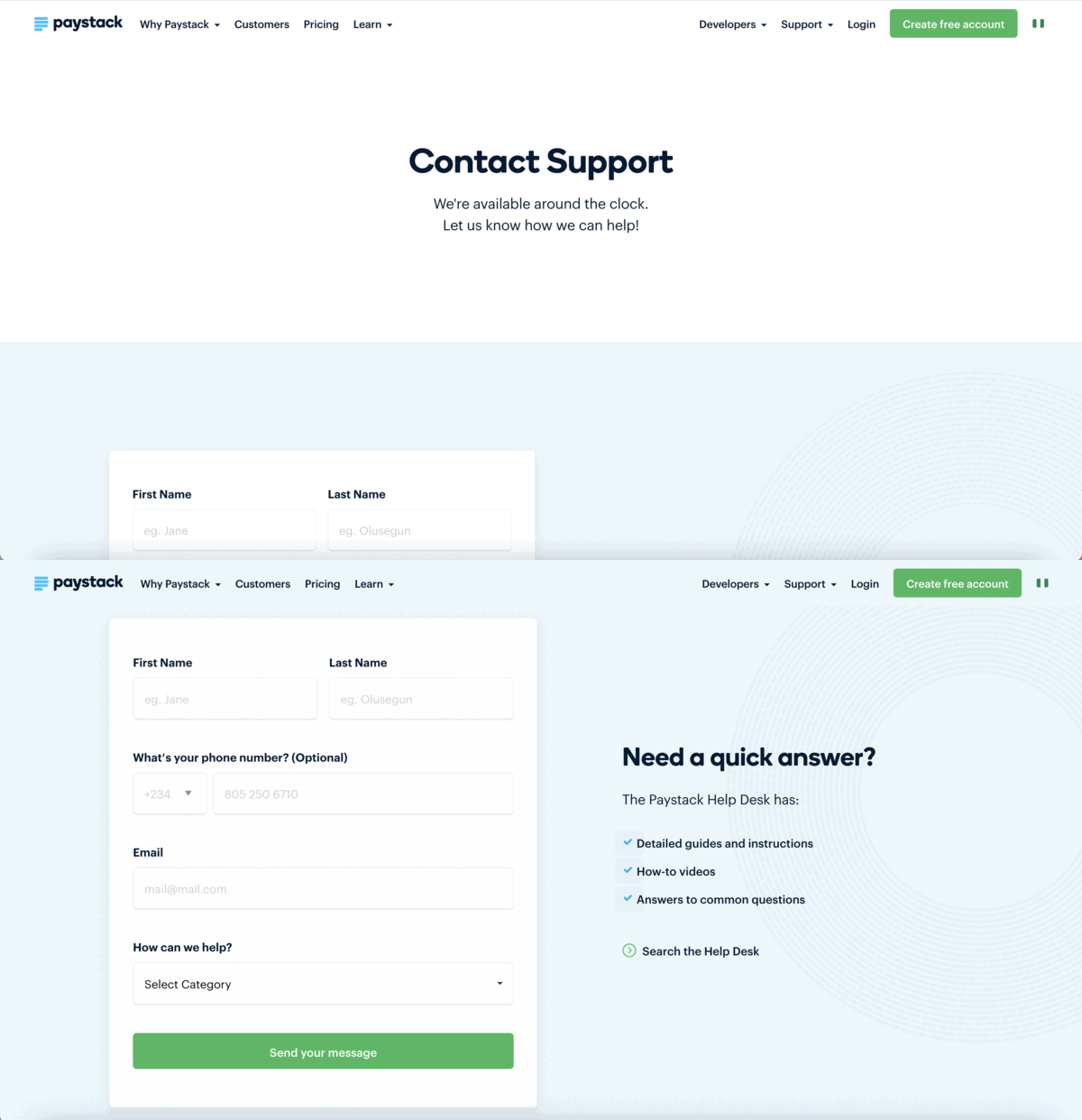
Paystack customer care
If you're having casino‑related Paystack issues (failed deposits, double debits, refunds not reflected), you contact Paystack support the same way any merchant or payer does, but you structure your message around the casino transaction. Here's how to do it clearly and effectively.
- Phone (Lagos / Nigeria): +234 1 631 6160[1]
- Email: [email protected] or [email protected][2]
What details to include in your message:
- Exact time and date of the casino deposit (including time zone).
- Amount debited and currency (NGN).
- Casino / betting site name (e.g., Bet9ja, 1xBet, 22bet).
- Payment reference / transaction ID.
- Bank used (GTBank, FirstBank, etc.) and account number.
This helps Paystack trace the transaction on their side and coordinate with the casino if needed.
Resolution time for Paystack‑related casino issues in Nigeria typically depends on whether the problem is Paystack‑only (failed payment) or Paystack–casino joint (refunds, disputes, double‑debit).
Simple cases (incorrect amount, transaction not sent to the casino) can be clarified or reversed in 1–3 business days after you provide full details and proof. For formal chargebacks related to casino payments, Paystack gives businesses a 16‑hour window to respond per Nigerian CBN rules; if unresolved, the bank may auto‑refund the cardholder.
How to complain to Paystack
To complain to Paystack effectively, you should use one of their main support channels and send a clear, structured message. Here's how to do it as a Nigerian user (including casino‑related payment issues):
- Go to paystack.com, log in.
- Click the Support / Help button (bottom right) and start a chat or submit a ticket.
How to delete Paystack account
You cannot fully "delete" your personal Paystack account in the way you delete a social‑media profile, but you can close your business profile on Paystack (the part that receives payments) and effectively stop using it.[3]
- Log in to your Paystack Dashboard.
- In the left‑hand menu, click Settings, then select the Preferences tab.
- At the bottom of the Preferences page you'll see a red button or link that says "Close this business".
If you're just a user paying via Paystack (e.g., casinos) and no longer want to use your account connected to a merchant:
- You don't need to delete Paystack; just avoid using it again.
- To stop recurring charges from a specific merchant, unsubscribe via the "Manage subscription" link in the Paystack activation email or contact that merchant's support.

Latest news
- 01/2026. Paystack opens a new office in Accra, Ghana, to strengthen its local presence and support the country's digital‑economy expansion.[4]
- 01/2026. Paystack officially restructures under The Stack Group (TSG), a parent holding company that aggregates Paystack's merchant‑payments arm, consumer app Zap, Paystack Microfinance Bank, and a venture/R&D arm, marking a pivot from a single payment processor to a multi‑brand fintech group.[5]
- 05/2024. Brass has been acquired by an investment group led by Paystack, with participation from PiggyVest, Ventures Platform, and P1 Ventures.[6]
- ↑ https://x.com/PaystackSupport/status/1472851875968000002
- ↑ https://documentation.commerce7.com/paystack-support
- ↑ https://support.paystack.com/en/articles/2131010
- ↑ https://citinewsroom.com/2026/01/paystack-opens-new-accra-office-to-support-ghanas-growing-digital-economy/
- ↑ https://paystack.com/blog/company-news/10-years-of-paystack-and-the-beginning-of-the-stack-group
- ↑ https://paystack.com/blog/company-news/brass